

NEWYou can now listen to Fox News articles!
You probably use your calendar to keep track of appointments, birthdays and the occasional reminder you immediately snooze. Hackers apparently see another possibility. Security researchers have uncovered a new version of MacSync malware that can use a public iCloud calendar event as part of its infection chain. Hidden inside the calendar data are commands that help download more malware onto a Mac.
The calendar itself does not suddenly infect your computer because someone sent you an invitation. The attack starts earlier, usually after someone downloads and runs a malicious app. Still, the iCloud trick shows how attackers can hide parts of an attack behind familiar services many of us trust. Once MacSync gets inside, it can go after a lot more than your calendar. Here’s how MacSync works, what it can steal and the steps you can take to protect your Mac.
Missed CyberGuy LIVE? Watch the replay and discover 5 ways AI can help you get better healthcare.
Our free CyberGuy LIVE class Get Better Healthcare with AI has ended, but you can still watch the full replay. Kurt “CyberGuy” Knutsson walks you through five practical ways AI can help you prepare for appointments, remember important details, understand complicated medical information, research prescription questions and organize your next steps. No technical experience is needed.
Plus, recordings of all our past classes are available, including How to Stop Spam, Phone Security and Financial Protection, each with a free downloadable checklist.
Watch the free replays and get your checklists at CyberGuyLive.com
THOUSANDS OF HACKED SITES TRICK YOU INTO INSTALLING MALWARE
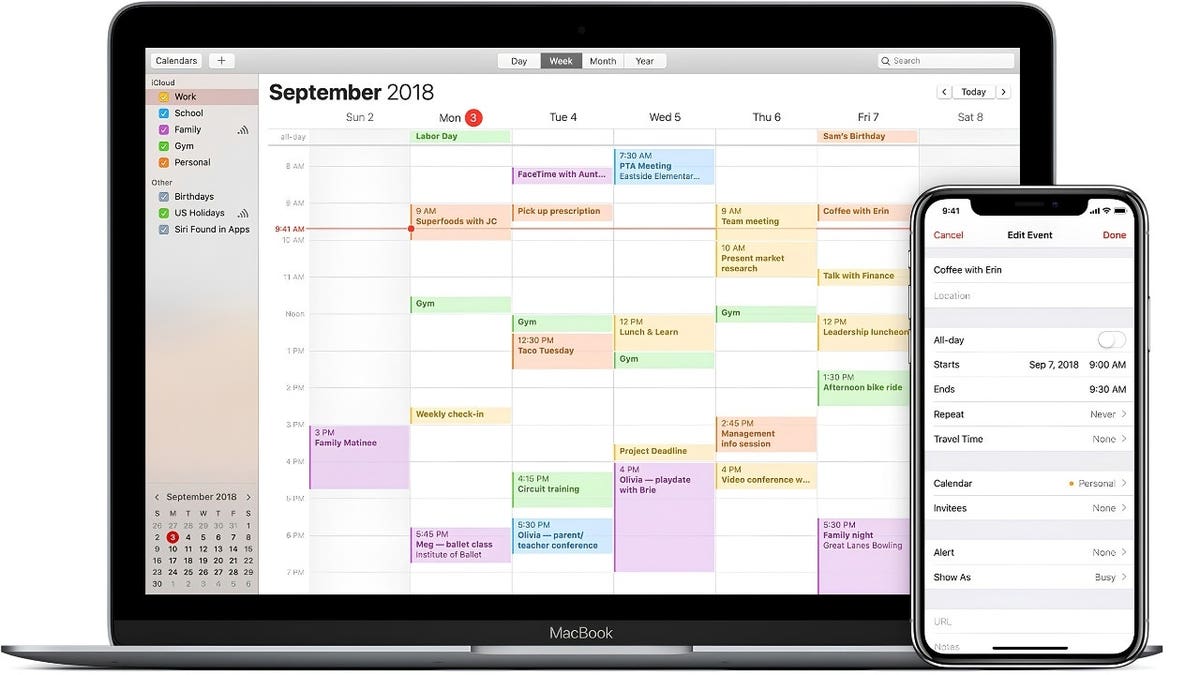
Researchers found that one MacSync infection chain used commands hidden inside a public iCloud calendar event to help download additional malware. (Apple)
What is MacSync malware?
MacSync is an information-stealing malware family targeting macOS. Earlier versions shared similarities with the Atomic macOS Stealer, better known as AMOS. Researchers say MacSync has since developed additional capabilities of its own. Kaspersky says the malware first appeared on the dark web in 2025 under the name Mac.c. Its creators later renamed it MacSync. Researchers first spotted this newest version in the wild in September 2026.
MacSync operates under a malware-as-a-service model. That means different criminals can use the malware while choosing their own methods for getting it onto someone’s Mac. Attackers have previously spread MacSync through social engineering and ClickFix-style attacks, where a bogus message tells someone to copy and run a command. Criminals have also disguised it as free software, cracked applications and unfamiliar new apps. We’ve seen similar tricks before. In one Mac campaign, fake CAPTCHA instructions convinced users to paste commands into Terminal, which then installed information-stealing malware.
How hackers can abuse iCloud calendars
Here’s where this latest version gets particularly sneaky. Kaspersky found one MacSync infection chain where a downloader connected to a public iCloud calendar. Instead of using the calendar to schedule anything, the attackers placed malicious commands inside the event description. The malware then feeds that calendar information into the Mac’s zsh command-line shell.
FAKE CHROME UPDATE SCAM COULD INFECT YOUR COMPUTER
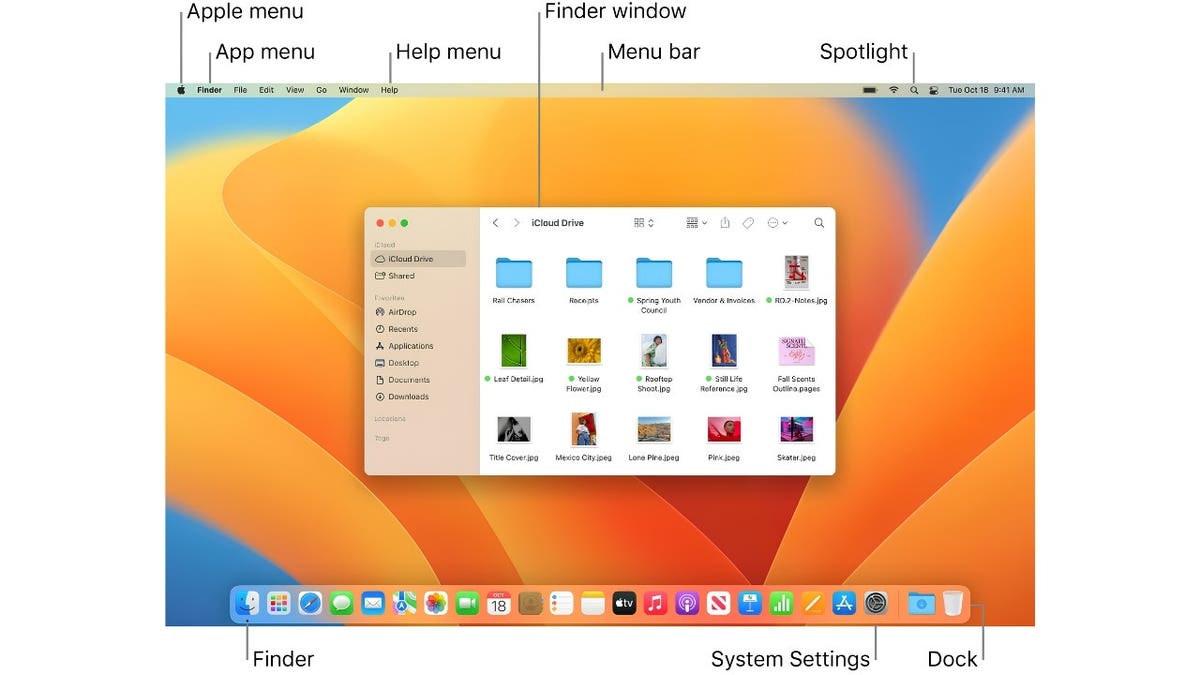
The new MacSync backdoor disguises itself as Finder while using persistence techniques designed to keep it running after a Mac restarts. (Apple)
Most of the calendar text produces errors because the Mac does not recognize normal calendar information as commands. However, when it reaches the malicious instructions placed after the event’s description field, those commands can run. They ultimately download a compressed archive from iCloud containing another malicious app. That app then starts another stage of the infection.
Think of the calendar as a hiding place for instructions. The attacker still needs to get malicious software running on the Mac first. However, using Apple’s infrastructure during the infection chain can make the activity look less suspicious. Importantly, Kaspersky says at least one sample pointed to a public iCloud calendar. Other samples used attacker-controlled servers instead.
A fake crypto wallet helped spread MacSync
Researchers also found attackers disguising MacSync as a fake cryptocurrency wallet called Toria. The criminals went beyond creating a download page. Kaspersky says they built a dedicated website for the nonexistent wallet and promoted it on X and Telegram.
That is a good reminder that a polished website or active social media account tells you very little about whether software deserves your trust. Crypto owners appear to be an especially attractive target because stealing wallet data or browser extension information can quickly lead to stolen funds. However, you do not need to own cryptocurrency to have something MacSync wants.
What MacSync can steal from your Mac
Once installed, the information-stealing portion of MacSync searches through a wide range of sensitive data. Researchers say it can target browser history, cookies, saved logins and passwords. It also searches for crypto wallet extension data, cryptocurrency wallet applications and Telegram information.
MacSync can collect the Mac user’s login information and Keychain file. It also gathers system details including installed apps, running processes, hardware information and the device model. Developers and more advanced users face additional exposure because the malware searches configuration files for SSH, ZSH, AWS, Kubernetes and Git. It can also collect ZSH and Bash command histories. For the average Mac owner, the takeaway is simpler. If malware gets access to saved passwords or browser data, an attacker may gain another route into your online accounts.
The new MacSync backdoor raises the stakes
Kaspersky also discovered a separate backdoor component written in Objective-C. It disguises itself as Finder, the file-management app built into macOS. The malware tries several methods to stay on the Mac after a restart. These include a LaunchAgent, changes to the .zshrc configuration file and modifications to global Git hooks. It can also terminate several macOS notification processes. Kaspersky says this prevents the system from notifying the user about the new LaunchAgent. From there, attackers can send instructions to the infected machine.
Researchers found commands designed to deploy a browser extension, replace an installed Ledger wallet app and collect additional system information or files. Most of those commands ultimately execute AppleScript supplied by the attacker’s command-and-control server. Kaspersky inferred what the individual commands do from their names and the status messages they send because researchers did not have the AppleScript payloads themselves. That limitation is important. Researchers can see what the backdoor appears designed to accomplish, but they did not observe every possible server-delivered script.
One MacSync command remains a mystery
Researchers also found a command called live_browser. That command downloads and executes a component called sn_relay. Kaspersky says its exact contents and purpose remain unknown. Based on the command’s name and messages sent back to the server, researchers suspect attackers may use it for some form of man-in-the-middle attack against browser traffic. Kaspersky has not confirmed exactly how that function works. That unanswered question shows why malware research often changes as investigators obtain more samples.
Why Mac users keep getting tricked
Macs include built-in security protections, but many recent attacks focus on persuading the person sitting in front of the screen to bypass those protections. ClickFix attacks are a perfect example. A website may tell you something went wrong and provide a command that supposedly fixes the problem. In reality, you may end up launching malware yourself. We’ve previously reported on Shamos malware, another Mac threat that used bogus troubleshooting instructions to trick people into running commands in Terminal. The same basic lesson applies here. Be suspicious whenever a website asks you to open Terminal, paste a command or enter your Mac administrator password to install an unfamiliar program.
Mac malware increasingly targets familiar tools
MacSync fits a pattern we’ve been tracking for a while. Attackers often disguise malicious software as something useful or familiar, whether that means a fake app, a bogus utility or software promoted through social media. In this case, researchers found one infection chain that used Apple’s iCloud infrastructure to help deliver additional malware. That does not mean opening iCloud Calendar puts your Mac at risk. The bigger warning comes earlier in the attack. Be cautious when an unfamiliar app asks for your administrator password or a website tells you to open Terminal and run a command.
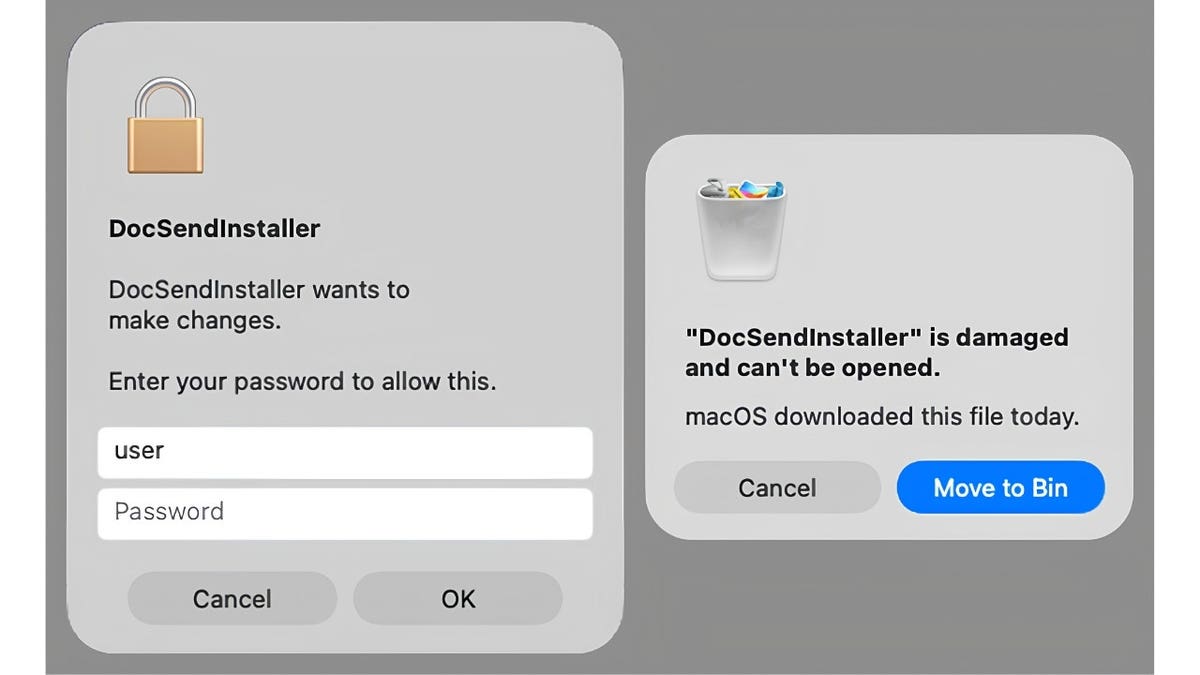
MacSync can imitate legitimate-looking macOS prompts to trick users into entering an administrator password or continuing with a malicious app. (Kaspersky)
Apple says macOS has built-in protections against these attacks
According to Apple, macOS includes several layers designed to help prevent malicious software from running, including Gatekeeper, XProtect and Apple’s notarization system for software downloaded outside the Mac App Store. Apple recommends the Mac App Store as the safest place to get Mac software. For apps downloaded elsewhere, Apple says macOS uses protections such as notarization and XProtect to detect known malware and block it from running.
On macOS 26.4 and later, Apple added protections aimed more directly at attacks that try to trick people into pasting commands into Terminal. Terminal paste protection can show a warning when text is pasted into Terminal from common attack sources such as web browsers, messaging apps and other communication software. Apple says XProtect can also inspect activity that starts from pasted commands, including in third-party terminal apps. It can check related network activity against Apple’s Safe Browsing Service and block behavior associated with known malware techniques.
Apple also says macOS 26.4 and later can scan AppleScript and JavaScript for Automation scripts using XProtect. If a script matches a known malicious signature, macOS can block it and alert the user. Safari adds another layer of protection. According to Apple, Fraudulent Website Warning can alert users when a website is suspected of phishing or distributing malware, while Apple Safe Browsing is designed to block malicious domains associated with attacks.
Apple also stresses that social engineering remains a major part of attacks like these. Scammers may try to persuade people to download software or paste malicious commands themselves. Apple recommends downloading software only from sources you trust and keeping your Mac updated with the latest available software and security fixes.
8 ways to protect your Mac from MacSync malware
MacSync relies heavily on getting someone to run a malicious app at the beginning of the attack. That gives you several opportunities to stop it.
1) Avoid copying Terminal commands from websites
A legitimate website rarely needs you to copy an unfamiliar command into Terminal to prove you’re human, repair a browser problem or complete a download. Apple says macOS 26.4 and later can warn some users when commands copied from places such as websites, messages or email are pasted into Terminal. XProtect can also block activity associated with known malicious commands and techniques.
2) Download apps from trusted sources
Whenever possible, get software through the Mac App Store or directly from a developer’s official website. Apple recommends the Mac App Store as the safest place to get Mac software. For apps downloaded elsewhere, macOS uses protections including Gatekeeper, notarization and XProtect to help identify and block malicious software. Be especially cautious with cracked software, free copies of paid apps and unfamiliar programs promoted through social media.
3) Treat administrator password requests seriously
MacSync’s infostealer asks the user for an administrator password and adapts its prompt to match the app it is impersonating. If an unfamiliar app unexpectedly asks for your password, stop and verify why before entering anything.
4) Use strong antivirus protection
Strong antivirus software can help detect malicious downloads and known malware before they compromise your Mac. It can also give you another layer of protection when a convincing scam gets past your first line of defense. Get my picks for the best 2026 antivirus protection winners for your Windows, Mac, Android & iOS devices at Cyberguy.com
5) Keep macOS updated
Install macOS updates when Apple releases them. Updates can patch security weaknesses and improve built-in protections that malware developers continually try to evade.
6) Check your browser extensions
Remove extensions you no longer use and investigate anything you do not recognize. MacSync’s backdoor includes a command designed to deploy a browser extension supplied by the attacker’s server.
- Safari: Open Safari > click Safari in the menu bar > Settings > Extensions . Review the extensions listed on the left. Uncheck an extension to disable it. If you want to remove one that came with an app, uninstall the associated app from your Mac.
- Google Chrome: Open Chrome > click the three dots in the upper-right corner > Extensions > Manage extensions . Review the list , turn off anything suspicious or click Remove to uninstall it. You can also click Details to review what websites an extension can access.
- Microsoft Edge: Open Edge > click Extensions to the right of the address bar > Manage extensions . Turn off anything you do not recognize or select Remove from Microsoft Edge to uninstall it.
7) Protect important accounts with 2FA
Turn on two-factor authentication (2FA) wherever it is available. If malware steals a password, that extra verification step can make unauthorized account access harder.
8) Change passwords if you suspect an infection
Start with your email, financial accounts and other sensitive services. Use a separate trusted device if possible. Create strong, unique passwords with a password manager, then check active sessions so you can sign out devices you do not recognize.
Kurt’s key takeaways
MacSync is a good example of how attackers can turn familiar parts of your Mac into camouflage. An iCloud calendar, Finder and a familiar-looking password prompt can all make something dangerous seem routine. This attack still needs you to run malicious software before it can really get to work, which means your choices can stop it early. If a website tells you to paste something into Terminal or an unfamiliar app suddenly asks for your administrator password, stop and ask yourself why. Those few seconds of skepticism could save you from handing over passwords, private files and access to your accounts.
Would seeing an iCloud address or another familiar Apple service make you more likely to trust what you’re downloading, or are you suspicious anytime a website asks you to run commands on your Mac? Let us know by writing to us at CyberGuy.com.
Sign up for my FREE CyberGuy Report
- Get my best tech tips, urgent security alerts and exclusive deals delivered straight to your inbox.
- For simple, real-world ways to spot scams early and stay protected, visit CyberGuy.com – trusted by millions who watch CyberGuy on TV daily.
- Plus, you’ll get instant access to my Ultimate Scam Survival Guide free when you join.
CLICK HERE TO DOWNLOAD THE FOX NEWS APP
Copyright 2026 CyberGuy.com. All rights reserved.